




The web development landscape has officially shifted. As of **May 20, 2026**, WordPress 7.0 has rolled out globally. This isn't just another incremental patch or a collection of minor UI tweaks. Version 7.0 marks one of the most monumentally disruptive and architecturally significant milestones in the history of the Content Management System (CMS). For years, WordPress has dominated the web by being an elite solo-publishing engine. However, as modern digital marketing agencies, enterprise editorial teams, and web development shops scale up, the isolated nature of the classic WP dashboard became a bottleneck. Teams have found themselves trapped in a fragmented workflow—drafting copy in Google Docs, managing asset feedback on Slack, assigning structural revisions in Trello, and only utilizing WordPress as the final code repository. WordPress 7.0 changes this dynamic permanently. By formally launching the core objectives of **Gutenberg Phase 3: Collaboration**, this version transforms the software from a simple content management tool into a fully unified, real-time, multi-user operational ecosystem. Concurrently, it establishes a native infrastructure for artificial intelligence via the brand-new **Connectors UI** and advanced backend APIs. Whether you are a freelance web designer, a technical agency owner managing complex multi-tenant client sites, or a corporate enterprise marketer, this extensive breakdown covers absolutely everything you need to know about the launch of WordPress 7.0. The road to WordPress 7.0 was long, deliberate, and fiercely debated within the core developer channels. Originally targeted for an early April 2026 release to coincide with major global contributor events like WordCamp Asia, the Core Release Squad made a strategic decision to extend the development runway. The release schedule adapted through five rigorous Beta cycles and an extended run of four distinct Release Candidates (RC) that stretched well into mid-May. This unusual delay was not a sign of stagnation; rather, it was driven by the immense structural weight of the code changes. Introducing real-time database syncing for co-editing and building out a deeply integrated data-filtering framework required comprehensive testing across millions of hosting server configurations. On **May 19, 2026**, the core team instituted a strict 24-hour code freeze, culminating in the **General Availability (GA) launch on May 20, 2026**. The resulting framework is highly polished, secure, and incredibly fast. For nearly a decade, the primary goal of the Gutenberg project was to democratize visual design via block architecture. With Phase 1 (The Block Editor) and Phase 2 (Full Site Editing) mature, **Phase 3 introduces real-time editorial collaboration directly into core core software**. The centerpiece of this editorial upgrade is the **Enhanced Notes** system. Freelancers and agency teams no longer need to take screenshots of layout drafts to send over communication channels like WhatsApp or Slack. When editing any Post, Page, or Site Template, you can click on any individual block—be it a paragraph, a header, an image, or a advanced query loop—and instantly leave a precise comment thread. You can explicitly `@mention` registered users on the site, triggering instant notification flags within their respective administration view. This brings Google Docs-style collaboration to your native web layouts. To prevent users from overwriting each other’s structural formatting during simultaneous editing sessions, WordPress 7.0 introduces a seamless asynchronous block-highlighting framework. When multiple creators are actively inside the same page editor, a subtle, color-coded visual indicator outlines the exact block a colleague is currently configuring. If an editor alters an image block or fine-tunes typography on a heading, the block displays a brief, non-intrusive highlight animation across all connected screens. This enables design teams to adjust styling on a layout while copywriters concurrently manipulate text blocks just centimeters away—without data collisions or unexpected content locks. Artificial Intelligence plugins have flooded the WordPress directory over the past few years, but they have historically operated like the Wild West. Every individual plugin developer built their own custom API integrations, leading to heavy database clutter, redundant API calls, and significant security risks for site administrators. WordPress 7.0 brings order to this chaos with the introduction of the **Connectors UI**. Accessible directly within the dashboard under **Settings > Connectors**, this native framework acts as a central control tower for external AI services. Instead of saving individual OpenAI, Anthropic, or proprietary LLM API keys across dozens of disparate plugins, site owners can securely authenticate their external models at the core level. Once configured, any compliant third-party plugin can securely hook into these global credentials via standard system endpoints. This centralized system offers distinct advantages for site management: The classic WordPress administration interface has remained largely unchanged for a decade. While the editor evolved into a modern JavaScript application, the back-end list tables—such as the Pages, Posts, and Plugins directories—still relied heavily on legacy PHP table structures. WordPress 7.0 introduces a massive design update across these key administrative spaces by deploying **DataViews**. DataViews completely swaps out the old static tables with an incredibly smooth, single-page application experience. The improvements to your daily workflow are immediate and significant: Finding specific content assets across hundreds of items used to require constant page reloads. With DataViews, you can instantly sort, stack, and filter your posts, media assets, or system logs using client-side processing. Want to see only the published marketing posts, written by a specific author, tagged under a precise category, and sorted by date? Toggle the filters, and the view updates instantly. Administrators are no longer restricted to a standard text-heavy vertical table list. DataViews allows users to toggle between multiple interface configurations at the press of a button: Updating metadata, changing author assignments, or tweaking taxonomies can now be executed across dozens of rows simultaneously with zero lag. The system processes these massive data requests smoothly in the background, allowing you to continue working uninterrupted. Building mobile-responsive layouts in the Block Editor historically required jumping through theme layout settings or adding manual CSS media queries. WordPress 7.0 elegantly solves this design pain point by embedding a native **Responsive Editing Mode** directly into individual block control panels. When selecting any layout block, a dedicated visibility matrix allows designers to visually dictate exactly how that block behaves across different screen sizes. Introduced in earlier versions as a quick-search utility, the **Command Palette** has received a comprehensive structural overhaul for 7.0, turning it into the central navigation hub for the entire application. Instead of manually clicking through complex multi-level administrative sidebar menus to find hidden settings, you can press a quick keyboard shortcut to activate the global omnibar. The updated tool features deeper context-aware intelligence: If you are editing a blog post and type `Edit Template`, the Command Palette intelligently surfaces the exact structural full-site layout governing that post. If you type a developer-level command like `Regenerate Cache` or a management phrase like `Add New User`, the system executes the underlying task or moves you directly to the target utility screen instantly. This completely bypasses traditional administrative friction, saving massive amounts of development time. While the visual enhancements and collaborative features capture the headlines, the most critical changes in WordPress 7.0 are found deep within its system code. These modern infrastructural requirements guarantee long-term stability and security for the web platform. WordPress 7.0 formally bumps its required minimum support version for PHP. Legacy environments running outdated versions like PHP 7.4 will find themselves strictly unable to execute this upgrade. The core code engine is heavily optimized for modern versions, extracting significant processing advantages: To ensure absolute stylistic separation between your theme's frontend design and the backend administration panel, WordPress 7.0 forces rigorous **Editor Iframing** across all layout environments. This isolates your content within a secure sandbox container. This prevents poorly coded plugin styles or admin dashboard scripts from leaking into your visual workspace, ensuring your editing layout looks identical to the live production site. To help visualize how much the platform has evolved, this detailed matrix compares the everyday workflows of older legacy installations against the new systems running in WordPress 7.0: Because WordPress 7.0 implements fundamental changes to core systems, upgrading blindly without a clear plan can cause unexpected issues. Follow this technical checklist to guarantee a smooth transition for your live production sites: Never click the update button directly on a live business platform. Clone your site into an isolated sandbox staging environment to safely test how your custom setups handle the new structural code. Ensure your hosting environment (such as cPanel, 20i, or StackCP accounts) is running a fully updated version of PHP (preferably 8.1 or higher). If your server is locked to an older PHP version, request an environment upgrade from your hosting provider before moving forward. Utilize a trusted backup utility to secure a clean, comprehensive snapshot of your entire file structure and MySQL database. Store this backup off-site on a secure cloud storage solution. Temporarily disable any advanced caching tools, CDN script optimization filters, or performance aggregators. This prevents old, cached versions of JavaScript from conflicting with the newly deployed DataViews assets during the installation process. Run the main system update within your staging environment. Once completed, systematically update all active theme assets and third-party plugins to ensure full structural compatibility. Navigate through your site using the new Responsive Design Mode. Inspect key global page layouts, test your operational forms, verify that checkout pipelines are functioning correctly, and open up the Connectors dashboard under Settings to ensure your AI endpoints are active and verified. If everything passes, you can confidently push the updates to your live production server. WordPress 7.0 represents a major evolutionary leap for web management software. It gracefully transforms a classic content management platform into a collaborative environment tailored for modern, fast-moving digital teams. By standardizing artificial intelligence architecture and introducing real-time team workflow management, WordPress has solidified its position as the engine driving the modern web. Embracing these cutting-edge updates early gives digital creators, agencies, and businesses a distinct advantage—empowering teams to build, collaborate, and scale their digital experiences faster than ever before. This tutorial walks you through how to use the modern, data-driven administrative layout features found in the core update. Check out this WordPress 7.0 Admin UI Walkthrough to see the redesigned user interface and new workflows in action. We share free Insights on the latest tech trends, marketing, strategic branding, and business growth.ⓘ1. The Delayed Journey to Launch: Understanding the 7.0 Roadmap
2. Gutenberg Phase 3: Collaboration Takes Center Stage
Enhanced Notes and Inline Commenting
Block-Level Multi-User Highlights
3. The Connectors UI: Standardizing Native AI Infrastructure
4. The Admin Redesign: DataViews Modernization
1. Zero-Reload Advanced Filtering
2. Multi-Layout Flexibility
3. Inline Bulk Actions
5. Responsive Design Mode: Eliminating Custom Media Queries
6. The Evolution of the Omnibar Command Palette
7. Crucial Under-the-Hood Architectural Updates for Developers
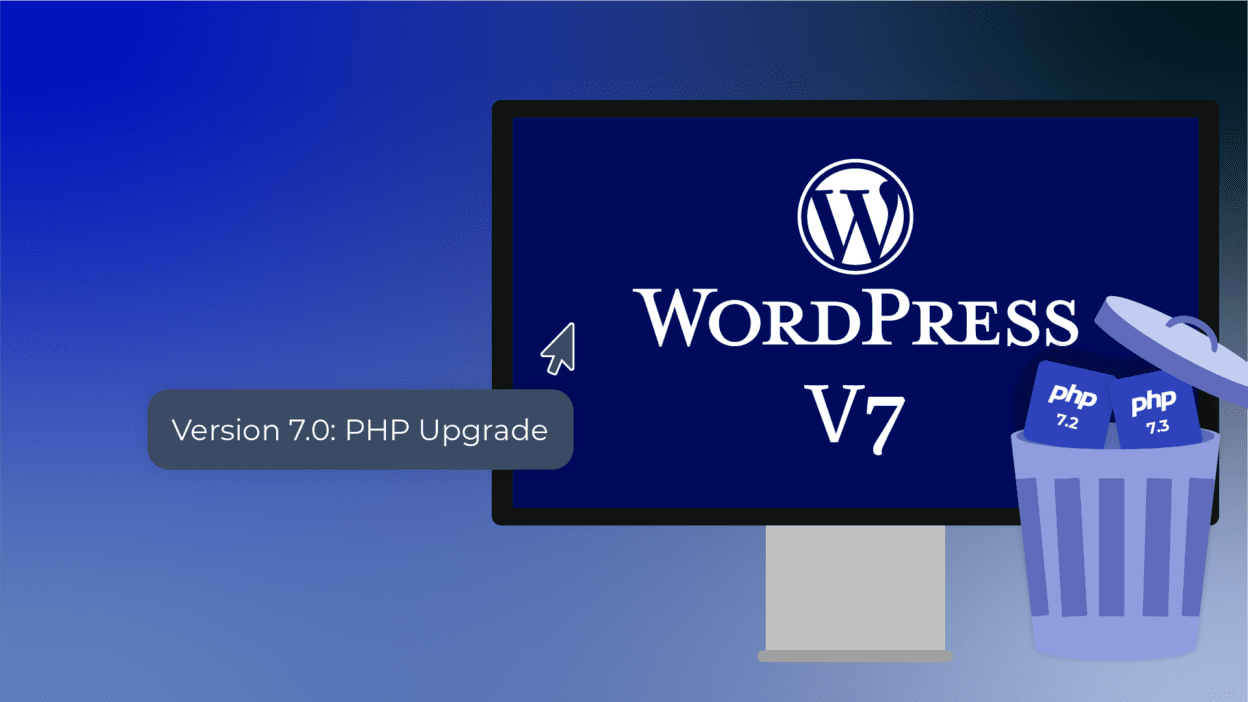
Upgrading the PHP Foundation
Enhanced Editor Iframing
8. Complete Comparison Matrix: WordPress 6.x vs. 7.0
Feature Dimension
Legacy WordPress 6.x Workflow
Modern WordPress 7.0 System
Team Editorial Collaboration
Requires external editing suites or heavy custom plugins to leave simple comments.
Native Enhanced Notes: Real-time block commentary with seamless user mentions.
Concurrent Multi-User Safeties
Content locking completely blocks a second user from editing a post simultaneously.
Block-Level Highlights: Visual tracking allows simultaneous multi-user editing.
Administrative UI Speed
Static PHP List Tables requiring constant page reloads for sorting and filtering.
DataViews Engine: Instant, single-page reactive sorting and custom grid toggles.
Artificial Intelligence Governance
Disjointed third-party plugins with fragmented API credential tracking.
Connectors UI: Centralized core dashboard for global model access controls.
Mobile Layout Controls
Dependent on custom theme features or adding custom CSS media queries.
Responsive Editing Mode: Native block-level device toggling and previewing.
System Navigation Speed
Manual clicking across complex, deeply nested admin sidebar menus.
Command Omnibar: Instant access to layout editing, settings, and workflows via search.
9. Comprehensive Step-by-Step Upgrade Checklist
Step 1: Deploy a Dedicated Staging Environment
Step 2: Audit Your Server’s PHP Version
Step 3: Execute a Complete Structural Backup
Step 4: Deactivate Active Optimization Caching Plugins
Step 5: Execute the WordPress 7.0 Core Core Update
Step 6: Perform a Comprehensive Visual Review
Final Thoughts: The Future of Your Web Presence
Join our community
[Beta 1-5 Phase] ➔ [Extended RC1 - RC4 Testing] ➔ [May 19 Code Freeze] ➔ [May 20 GA Launch]
[Select Block] ➔ [Click "Add Note"] ➔ [@Mention Team Member] ➔ [Live Dashboard Alert]
WP-Admin ➔ Settings ➔ Connectors ➔ Global API & Model Governance
+-------------------------------------------------------+
| WP 7.0 CONNECTORS UI |
+-------------------------------------------------------+
| [OpenAI Provider] --> Verified Active |
| [Anthropic Provider] --> Verified Active |
| [Custom LLM Endpoint]--> Standby |
+-------------------------------------------------------+
| Global Guardrails: Max Token Limits / Role Access |
+-------------------------------------------------------+
Legacy PHP Table (Static Reloads) ➔ DataViews Engine (Instant Reactive UI)
[Select Layout Block] ➔ [Toggle Responsive Visibility Icons] ➔ [Desktop / Mobile View]
Keyboard Shortcut [CMD + K] / [CTRL + K] ➔ Open Command Omnibar
+-------------------------------------------------------+
| > Add new plugin... |
| > Regenerate CSS cache... |
| > Edit Template: Single Post Page |
+-------------------------------------------------------+
| Quick-jump across design, settings, and database views|
[Staging Clone] ➔ [Verify PHP 8.1+] ➔ [Full Database Backup] ➔ [Core Update] ➔ [Visual Audit]