








Our autoscaling servers are up and running 99.9% of the time to ensure no downtimes
Skip links

TRANSFER YOUR WEBSITE IN A CLICK

Free, Automatic
Migration Centre

Migrate website files, databases and emails automatically
Transfer in minutes, not hours or days
Move as many sites as you like, always for free
Easy transfer from any web host

Migration Features 🚀
2
website-migration

Home / Migration

Migration FAQs

Quick and easy hosting migrations

The Migration Centre is free and fully automated with our Web Hosting.

No Downtime

We can guarantee that your websites will stay up and accessible throughout the whole migration process, with no disruption to your services.

Free Migrations

We don’t place specific limits on how many sites you can transfer to us, or charge you any fees. Transfer as many as your plan can accommodate.

No Waiting

It’s quick and easy – no need to contact our support team or book an appointment. You can start the hosting migration at your convenience.

Built For Bulk

You can move all your websites at once, one-by-one, or in batches. Perfect for anyone with lots of sites, like Freelancers, Agencies, or Businesses.

Proven Tech

Every day, multiple websites are transferred to us using the Obvi8 Migration Centre, all without any issues. It has proven to be robust and reliable.

From Any Host

You can switch from all major providers who use cPanel, Plesk, or DirectAdmin. You can also migrate your site from UK providers Fasthosts and Heart Internet.

Website Files

The automatic website migration will transfer all your website content and page structure. No need to worry about downloading/ uploading the files yourself.

Databases

Most websites rely on databases, so we transfer all the tables, columns and rows exactly. You don’t have to trouble yourself with SQL commands!

Email

We use an IMAP sync to move all your emails to our servers during the migration. There is no downtime, so you can continue working on your email seamlessly.

Switch your hosting in a click: how it works

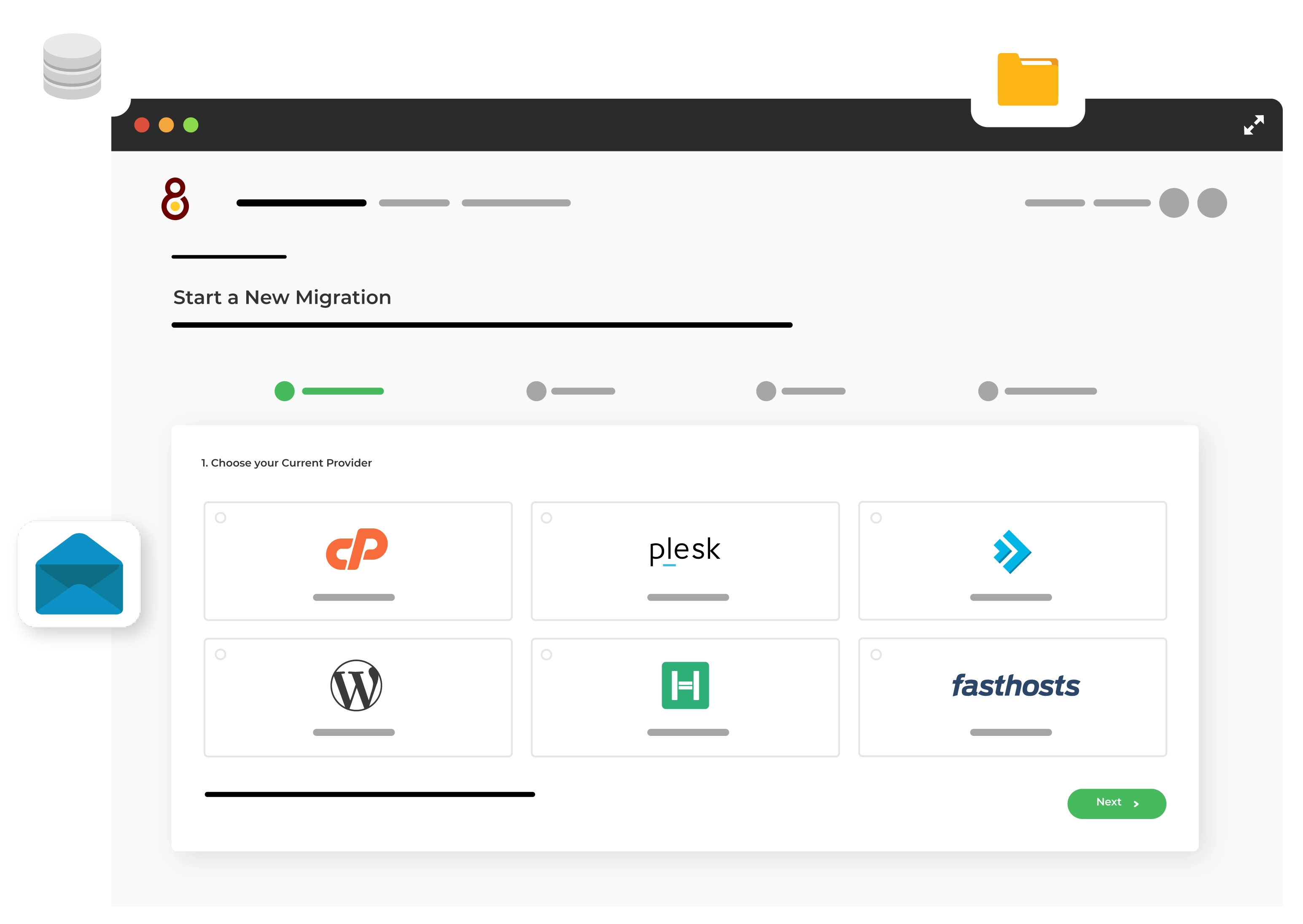
Step 1. Choose your current provider

Choose from cPanel, Plesk, DirectAdmin, WordPress, Heart Internet or Fasthosts.

Step 2. Enter the credentials for your current provider

This may be your username and password, so the Migration Centre can access your hosting.

Step 3. Select websites to migrate

You may not want to migrate all hosting packages at once – here’s where you can choose specific websites.

Step 4. Confirm migration

Just click to begin the migration! You can choose to receive an email when the process is complete. You can preview your website on a temporary URL.

And you’re all done!

Faster migrations with Obvi8

Nearly all hosts help with migrations into their services, but most do this manually and limit how many times they will help for free.

Obvi8 Migration Centre Traditional host migration
Automatic migrations
Unlimited migrations
Transfer in minutes
Import emails
Always free
Anytime migrations
Bulk transfers
Self service

How website migrations used to work

The traditional way to transfer your website between web hosts would involve locating your website files at your old host and then downloading them locally, to your PC desktop, for example. You’d have to do the same for databases using a tool like phpMyAdmin, ensuring that you’ve got all the relevant data and content.

Then, it would be a matter of uploading your files to the new hosting provider, using their file manager or FTP with software like FileZilla. Then the databases would need to be imported. You’d also need to make sure the ‘engine’ for the site (e.g. WordPress core) is loaded onto the webspace. And don’t forget the email: you’d also have to change settings for that so that you don’t lose access to emails when you leave your previous host.

Not only is this time consuming, but also prone to error or file corruption. While for popular CMS like WordPress, there are shortcuts through plugins, it can still be a hassle.

With the Obvi8 Automatic website migration centre, all these steps are carried out automatically, with no risk of data loss or downtime.

Migration Center FAQs

Find answers to some frequently asked questions about our Automatic Migration Center.

No cost at all, ever! Whether you use the Migration Centre or ask our Support Team to help you out, it’s always free, for any number of migrations.

Yes, you can migrate websites from WordPress and Linux platforms.

Yes: if you have any concerns about site migration, our 24×7 Support Team will be able to help you. You can chat with them now if you have any questions.

It all depends on the size of the site. The time it takes to move is dependent on the amount of data being transferred and the complexity of the website. Some migrations can take up to three hours, although the average time to migrate is 30 minutes. For most sites, it will be as quick as clicking ‘migrate’, making a coffee – and your site will be migrated!

Yes: it doesn’t migrate your domain name to Obvi8 automatically. To take advantage of our great value domain renewal prices, you can transfer using our Domain Transfers tool. It works in much the same way as our Migration Centre: enter your details and proceed to transfer the domain.

Prefer to keep your domain at another registrar? No problem. All you’d need to do is log in to your provider’s control panel and change the nameservers to Obvi8’s nameservers.

Even though the chances of any issues when using our Migration Centre are vanishingly-small, we understand…

The simple answer is that nothing can go wrong. No files at your current host are deleted in the process of transferring your website. So, even in the extremely unlikely event that something happened, you can always try again, and/or contact our team.

The migration process will never cause downtime: your site will remain live on your previous hosting until you’re happy with your Obvi8 site.

Not at all: if you’d prefer to migrate your websites over to Obvi8 in the ‘manual’ way, you can.
1. Create a hosting package at Obvi8.
2. Start downloading your website files and database from the old provider.
3. Upload the files to Obvi8.
4. Create a database at Obvi8 and import your database backup to the newly-created database.
5. Update the credentials in the website configuration file
6. Time to go live! The website will now be fully functional on our platform.

Explore
🡰 🡲